Home Office Lighting: The 2026 Lux-Level Guide
Home office lighting is the most underestimated productivity tool in a luxury home. A beautiful desk, an ergonomic chair, a fast machine — and then a single overhead fixture that leaves your eyes tired by three in the afternoon. The fix is not a brighter bulb. It is a lighting plan built around one number: 300 to 500 lux on your desk, the illuminance range lighting engineers and workplace guidance recommend for focused office work. This guide gives you the exact targets, the worked lumen math, a fixture-by-fixture plan, and the dimming scenes that make a home office feel less like a cubicle and more like a study you actually want to spend the day in.
The number that matters: 300–500 lux on your desk
Most home office lighting advice talks about lumens. But what your eyes actually respond to is lux — the amount of light landing on a surface. A 1,500-lumen bulb on a high ceiling can leave your desk dim; the same output in a desk lamp feels bright, because lux is about placement, not just output. It is the single number that defines great home office lighting. Once you think in lux, home office lighting stops being guesswork.
The professional targets for home office lighting, drawn from IES-recommended levels, the U.S. Department of Energy’s lighting guidelines, and OSHA workstation guidance, look like this:
- Desk surface (computer work, reading, writing): 300–500 lux
- Detail work (drafting, paperwork, handwriting): 500–750 lux
- General room ambient: 150–300 lux, so the screen never glows against a dark cave
- Color rendering: CRI 90 or higher, so materials, paper, and your own skin look right
Notice the ranges. There is no single magic number because room size, ceiling height, and wall color all change how much light reaches your desk. The way to work with the range is to do the math for your own room — which is exactly what the next section does. And if you want the calculator version, try the Luxury Lighting Calculator — it turns these targets into lumen totals for your exact room in under a minute.
The lumen math: a worked example for a 10×12 office
Lux and lumens connect through room size: one lux equals one lumen per square meter. A practical planning rule used by lighting designers is 30–50 lumens per square foot for ambient light, with a dedicated task lamp on top. That per-square-foot rule is the backbone of practical home office lighting.
Take a typical 10×12-foot home office — 120 square feet — as the home office lighting reference case:
- Ambient target: 120 × 30 to 50 = 3,600 to 6,000 lumens, spread across two or three sources
- Task lamp: an additional 400 to 800 lumens, aimed directly at the work surface
- Desk-level result: the ambient layer keeps the room at roughly 150–300 lux; the task lamp lifts your actual work surface into the 300–500 lux band
For a smaller 8×8 office (64 sq ft), that same formula gives roughly 2,000–3,200 ambient lumens plus a 400–600 lumen task lamp. For a larger 12×12 room (144 sq ft), plan 4,300–7,200 ambient lumens plus a 600–800 lumen lamp. The principle is always the same: bring light closer to the task before buying something brighter. A well-placed 500-lumen desk lamp does more for your eyes than a 2,000-lumen ceiling fixture. In smaller rooms, home office lighting is mostly about proximity, not power.
Measure your own desk with a free light-meter app on your phone — place the phone flat on the desk where you work. It will not be lab-accurate, but it is excellent for before-and-after comparisons. Under 250 lux at the desk means you need a real task layer; over 700 from an overhead source means you are likely getting glare, not help. A quick reading takes the guesswork out of home office lighting.
The four layers of a productive home office
Luxury lighting is layered lighting. A home office that works from 9 a.m. to 9 p.m. needs four layers, each independently controlled. Layering is what separates a merely bright room from true home office lighting:
- Ambient — the room base. Soft, even, glare-free fill that keeps the whole room at 150–300 lux. Shielded downlights, wall washers, or cove lighting. Never an exposed-bulb fixture above the desk — it shows up as a bright reflection on your screen and as a hot spot at the edge of your vision.
- Task — the work surface. An adjustable desk lamp delivering 400–800 lumens to your papers and keyboard, on its own switch and dimmer. This is the layer that hits the 300–500 lux target where you actually work.
- Daylight — the free layer. A window beside the desk (more on placement below) plus blinds or sheer curtains to tame it. Daylight is wonderful and volatile: a room that works at midday can feel dim by late afternoon, so the other layers must carry the evening.
- Video-call fill — the modern layer. A soft, diffuse source aimed at your face during calls. Your camera meters the brightest part of the frame; without fill, you become a silhouette against the window behind you.
Fixture-by-fixture plan
The desk lamp (the most important fixture in the room)
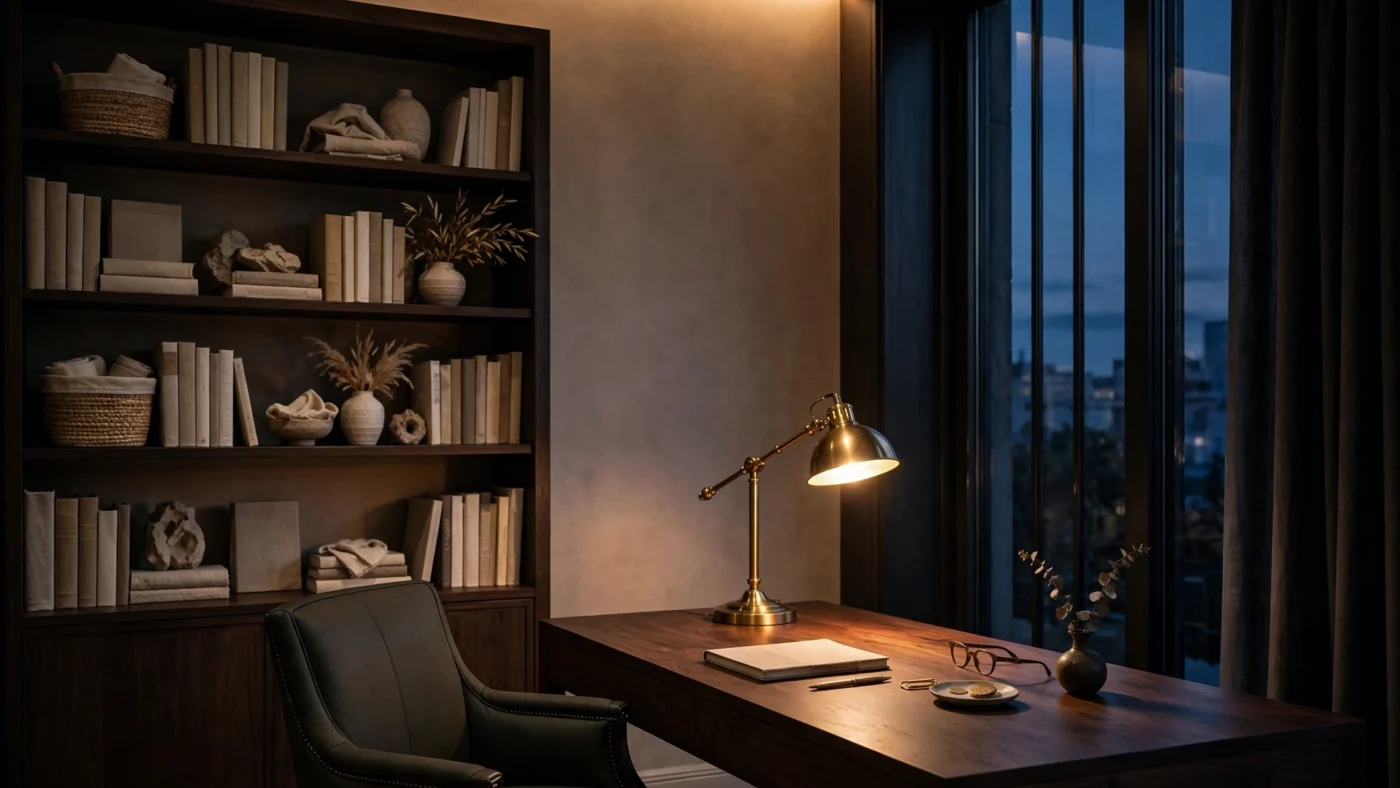
Choose an adjustable lamp with a shade that hides the bulb — clamp-mounted if your desk is deep, counterweighted arm if you move it often. Place it to the side of the screen, aimed down at the work area and away from the monitor, so its light never reflects in the display. The desk lamp is the heart of any home office lighting plan. For handwriting, the classic rule puts the lamp on the side opposite your writing hand so your hand’s shadow falls off the page — but the screen takes priority: if that position shines on the display, move the lamp further to the side or angle the head away.

The overhead layer
For ambient light, the U.S. Department of Energy’s residential lighting guidance points to exactly the right fixtures: recessed downlights with clear reflectors, wall washers, and cove or valance lighting. They light the room without visual hot spots. Avoid bright pendants or exposed bulbs anywhere near the sight line between you and the screen. Together they complete the ambient layer of your home office lighting.
The video-call setup
Light your face from the front or slightly to the side — a window in front of you gives the most flattering daylight, or use a soft diffused source near the screen. An adjustable desk lamp swung toward a wall in front of you works beautifully: the wall becomes a large, soft light source. Light from one side only leaves half the face in shadow, so a second dimmer source on the other side balances it. And never sit with a bright window directly behind you — the camera’s exposure will turn you into a silhouette no matter how good the room lighting is. Good home office lighting makes you look better on camera, too.
Color temperature and your body clock
Color temperature, measured in Kelvin, decides how light feels — and it quietly drives alertness, shaping home office lighting more than any single fixture. The working ranges:
- Morning focus hours: 4000–5000K (daylight-leaning) keeps you alert; this is the light of offices for a reason
- Evening wind-down: 2700–3000K (warm white) suits offices that double as living space after hours
- The luxury answer: tunable-white bulbs and fixtures that shift cooler through the day and warmer at night, on a schedule — no manual fiddling
One practical rule: keep the lamp and the room lights at a similar color temperature. A 2700K room with a 5000K task lamp creates a visible mismatch on the desk that the eye never quite relaxes into. And specify CRI 90+ everywhere — in a home where materials are the point (walnut, wool, brass), low-CRI light flattens everything it cost money to make beautiful. Consistency keeps home office lighting calm instead of clinical.
Desk placement and glare: the OSHA rules worth knowing
The most useful home office lighting advice has nothing to do with buying fixtures. It is OSHA’s workstation guidance on where the desk sits:
- Screen at a right angle to the window. With the window to the side, daylight reaches the desk without shining into your eyes or reflecting in the screen. Window behind the screen means your eyes constantly adjust between bright daylight and a darker display; window behind you means reflections that wash out the screen.
- Control daylight with blinds or curtains. Daylight changes strength and direction through the day — adjustable shading is the only way to keep the desk comfortable from morning to evening.
- Keep bright sources out of the screen’s sight line. The same perpendicular logic applies to lamps and ceiling fixtures: no bright source directly in front of you or directly behind you.
Three dimming scenes worth programming
Every layer on its own control, every control dimmable. Three home office lighting scenes cover the whole day:
- Deep focus (9 a.m.–noon): ambient at full, task lamp at full, 4000–5000K. Maximum 300–500 lux on the desk.
- Video calls (on demand): ambient dimmed slightly, task lamp swung toward the wall in front of you, color temp neutral 3500K — flattering, not forensic.
- Evening wind-down (after hours): ambient low, task lamp off or low, 2700K. The office returns to being a beautiful room.
Designer notes: fixtures that don’t look like an office
A home office in a luxury home should not glow like a coworking space. The materials carry it: a brass pharmacy or architect lamp, a linen or parchment shade on a ceramic base, plaster or aged-brass wall washers, hidden cove light in millwork. Cables disappear into a desk grommet or a floor outlet. The switch plates match the rest of the house. None of this changes the lux math — it changes whether you notice the room is an office when the lights are low. That invisibility is the quiet luxury of well-planned home office lighting.
If you are designing the whole study, our luxury home office design ideas guide covers layouts, materials, and finishes — pair it with this lighting plan and the room is done.
5 home office lighting mistakes to avoid
- One overhead fixture doing everything. It cannot deliver 300–500 lux at the desk without blasting the rest of the room — layer instead.
- A dark room with one bright pool. A bright desk lamp in an unlit room forces your pupils to constantly readjust; keep ambient at 150–300 lux so the contrast is gentle.
- The window behind the screen. The single most common cause of eye fatigue in home offices — and free to fix by moving the desk.
- Mismatched color temperatures. A cool task lamp in a warm room reads as clinical; keep the layers within the same Kelvin family.
- Specifying by watts. With LEDs, wattage tells you energy use, not brightness. A modern LED can produce 800 lumens on under 10 watts — always compare lumens.
Want the numbers for your exact room? Try the Luxury Lighting Calculator — plug in your room dimensions and it returns the lumen targets this guide is built on.
Home office lighting FAQs
How many lux do I need for a home office?
Target 300–500 lux on the desk surface for computer work, reading, and writing; 500–750 lux for detail work like drafting. Keep the general room at a softer 150–300 lux so the screen never glows against darkness.
How many lumens should a home office have?
Plan 30–50 lumens per square foot of ambient light (3,600–6,000 lumens for a 10×12 office), plus a 400–800 lumen task lamp on the desk. The lamp delivers most of the useful light because it sits close to the work surface.
Is 4000K or 5000K better for a home office?
Both work for daytime focus; 4000K is the safer all-day choice, 5000K feels crisper and more energizing. For evening work, drop to 2700–3000K. Tunable-white fixtures let you shift through the day automatically.
Where should I place my desk relative to the window?
Perpendicular — the window to the side of the screen. This gives you daylight on the desk without glare in your eyes or reflections on the display, and it is the most flattering daylight setup for video calls when the window is in front of you.
Do I really need a separate desk lamp if I have overhead lights?
Yes — it is the single highest-impact upgrade. Overhead light falls too far from the desk to reach 300–500 lux comfortably; a 400–800 lumen task lamp aimed at the work surface gets you there, with independent dimming for paperwork versus screen work.
The lux targets in this guide follow the IES Lighting Handbook and OSHA’s computer workstation guidance.